

Welcome to the documentation for the Duplicate App for Jira Cloud. This guide provides comprehensive information on the app's functionality, usage, and configuration options.
Overview
The Duplicate app enhances Jira's cloning capabilities by allowing you to copy entire work item hierarchies, including parent and nested child items, even across different spaces (in the advanced edition).
Key Features - Standard Edition
-
Comprehensive Duplication: Copy work items, their children, and links in one go.
-
Customizable Duplicates: Modify attributes such as summary and assignee during the duplication process
-
Flexible Configuration: Decide which attachments, links, and child items to copy.
-
Item Hierarchy Duplication: Copy parent items together with all child and descendant items with unlimited hierarchy depth
Key Features - Advanced Edition
-
Cross-Space Duplication: Copy work items into different spaces and transition between company-managed and team-managed spaces.
-
Duplicate in Background: Initiate the duplication process and proceed to your next task, allowing the copying to occur seamlessly in the background.
-
Bulk Copy from Item Navigator: Search for items in the item navigator and copy them together in a single bulk operation.
Usage Instructions
Work Item View
-
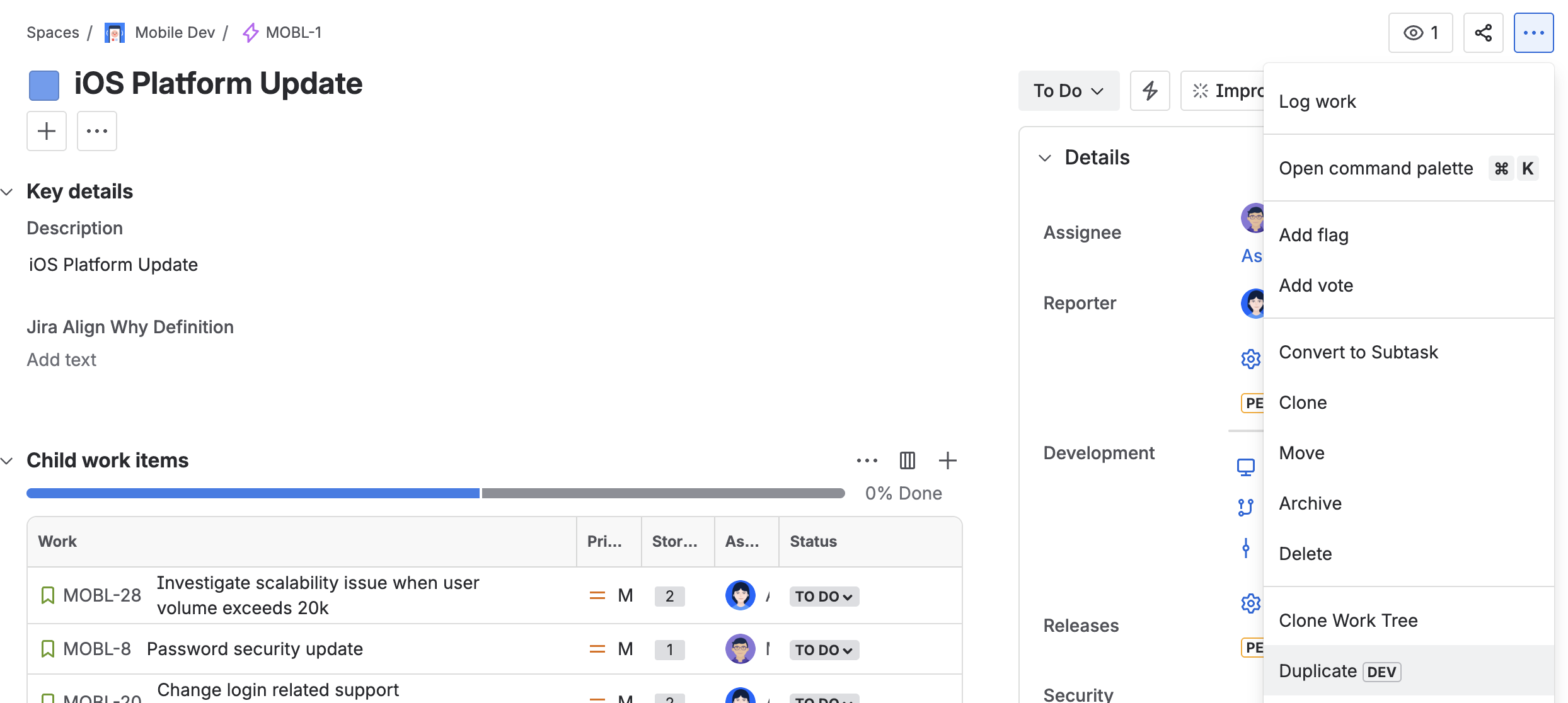
Accessing Duplicate: After installing the app, find the "Duplicate" option in the item actions menu (three dots in the top right corner).
-
Configuration: Select the duplicate option to open the configuration screen. For detailed configuration, refer to this guide.
Item Navigator advanced edition
-
Accessing Bulk Duplication: After installing the app, find the "Duplicate" option in the Apps dropdown right on top of the item navigator.

-
Configuration: Select the duplicate option to open the configuration screen. For detailed configuration, refer to this guide.
Use Cases
-
Template Projects: Establish template items and duplicate them into active projects as needed.
-
Recurring Modules: Quickly set up project structures by copying template epics with associated child items.
-
Ensure Quality: Effortlessly recreate established structures without the need to generate work items from scratch repeatedly. This approach guarantees that no crucial details are overlooked.
Access Settings
-
Jira Administrators: Control app accessibility by restricting it to specific projects or user groups. Limit usage to internal users if necessary.
-
Attachment Cloning: Define for each individual project if it should be allowed to copy attachments from the project or not.
Read more about the app settings for Jira administrators in this guide.
Support and Feedback
If you experience a bug or have suggestions, visit our service management portal or contact us via support@ij-solutions.atlassian.net.