

Duplicate in Jira Cloud simplifies the process of copying work items, including their children, with ease.
Precondition
Ensure that the Duplicate app is installed and licensed. Once this is done, the app can be used immediately in every Jira work item.
How to Access Duplicate in a work item
This guide highlights the location of the duplicate action within a Jira work item. Let's consider duplication of this Epic using the app. It includes several child items as stories or tasks and some of them have sub-tasks.
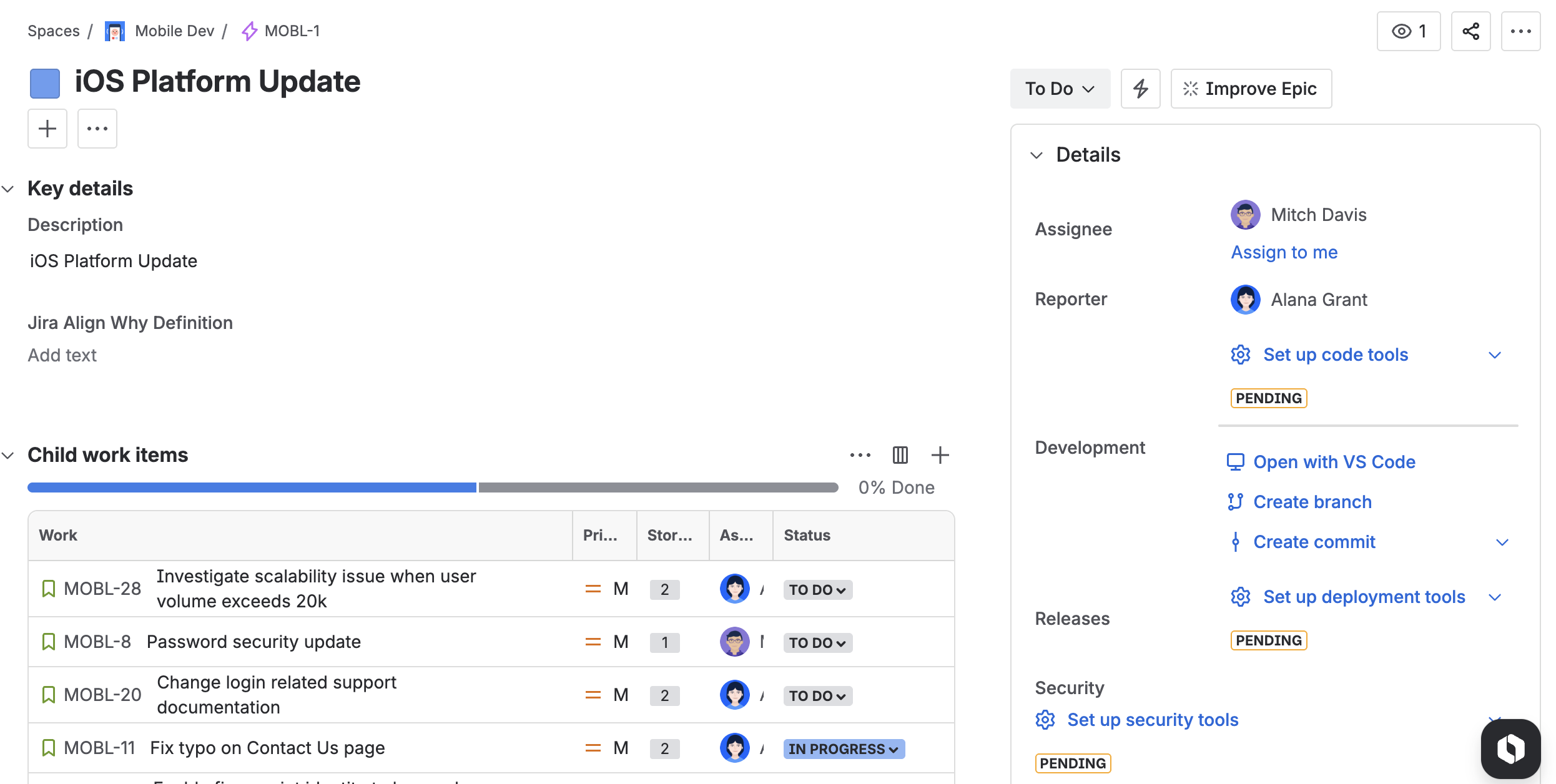
To access the duplicate app, please follow these steps:
-
Navigate to the Work Item: Open the Jira work item you wish to duplicate.
-
Open Configuration: Click on the three dots (more options) and select Duplicate.
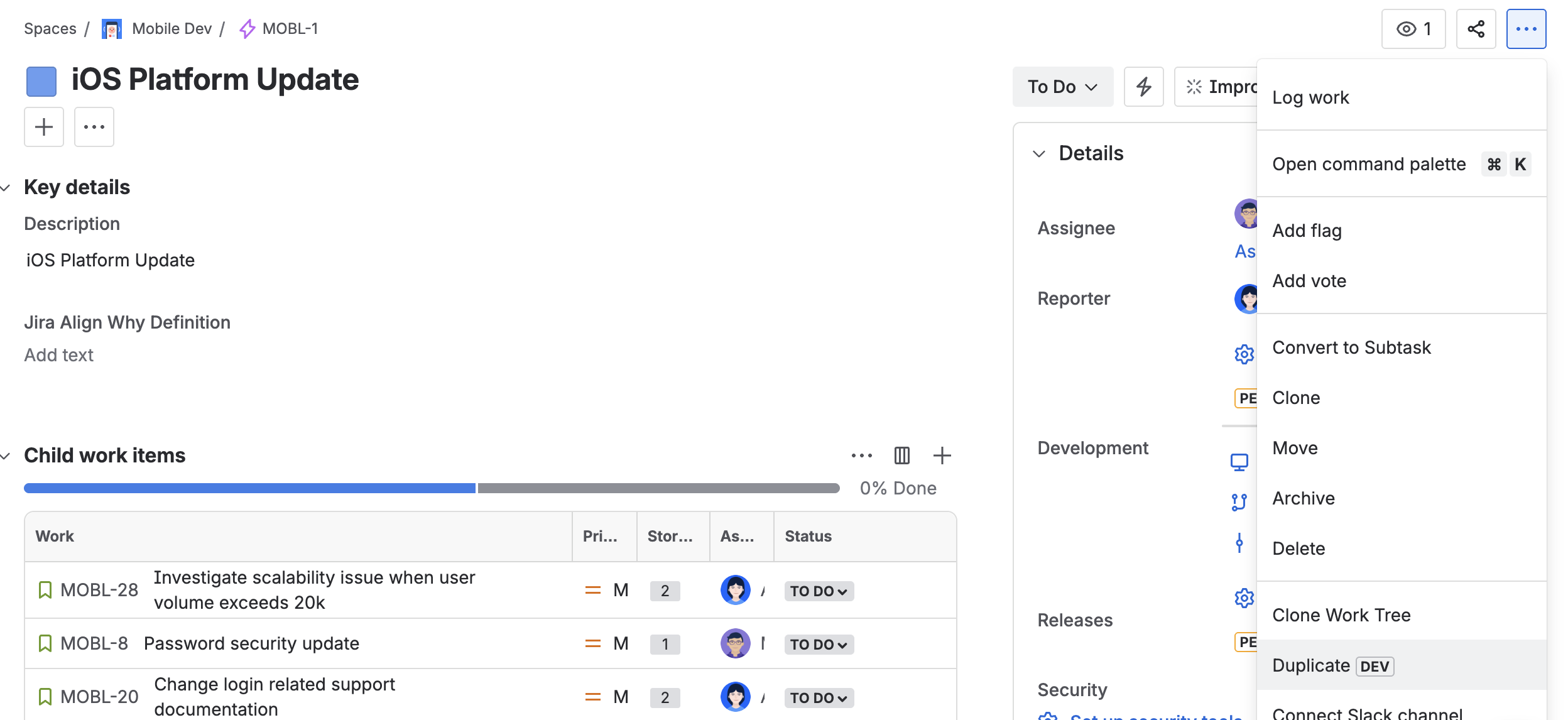
For detailed instructions on duplication of a work item, visit this page.
How to Access Duplicate in the work item navigator advanced edition
You can also bulk duplicate Jira items with the app through the work item navigator. Open a JQL search for Jira items, then click Apps → Duplicate to open the app dialog. This feature is only visible if you subscribed to the advanced edition of the app.

For detailed instructions on duplication of the results of a jql search with the bulk duplicate feature, visit this page.