

Project Milestones adds a native Milestone field to your Jira instance. Jira admins can add it to screens and work item layouts like any other custom field. In this example, it is displayed right above the description of a story.
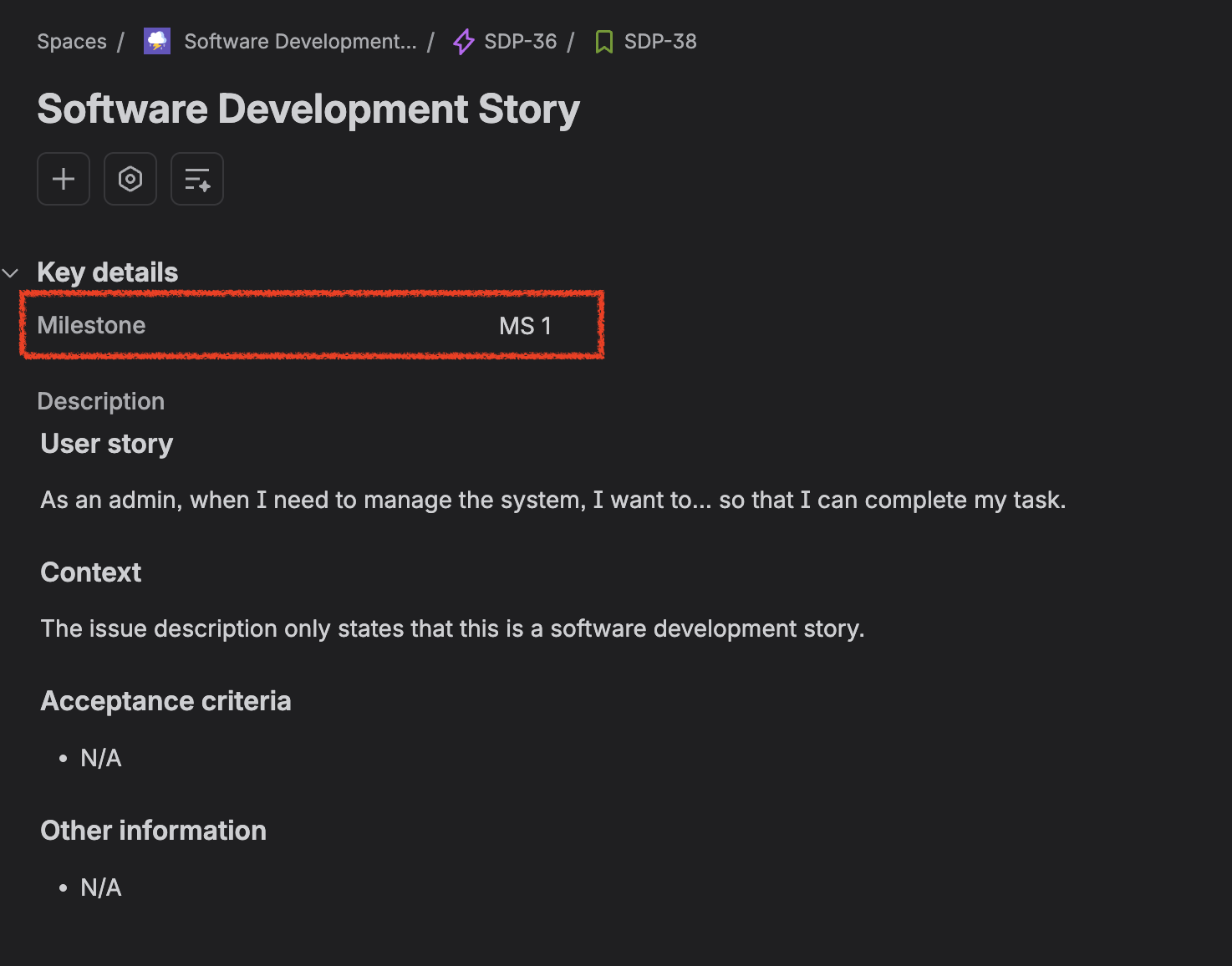
Unlike the milestone information in the sidebar panel, it's a real Jira field — so you can search for it with JQL and use it to group and filter issues in reports. The field is kept in sync automatically whenever a milestone assignment changes.
Adding the field to your screens
The Milestone field isn't on any screen by default. A Jira administrator needs to add it to screens or layouts in the system or space administration. Once it's on a screen, it also becomes editable there, giving you a second way to assign a milestone to an issue besides the milestone panel.
Searching with JQL
The Milestone field exposes several sub-properties you can query independently. Use the syntax Milestone.<property> <operator> <value>:
|
What it holds |
JQL clause |
Example |
|---|---|---|
|
Milestone name |
|
|
|
Milestone ID (stable identifier, survives renames) |
|
|
|
Milestone status |
|
|
|
Milestone start date |
|
|
|
Milestone end date |
|
|
Milestone status values are: New, In progress, ready, and Completed — the same values shown on the project milestone page.
Supported operators
-
=and!=on all properties -
IS EMPTY— find issues with no milestone assigned, e.g.Milestone.name IS EMPTY -
Date properties (
startDate,endDate) also support relational operators such as>=,<=,>, and<, and JQL date functions likestartOfYear(),endOfMonth(), ornow()
More examples
-
project = "ABC" AND Milestone.status = "In progress"— all in-progress-milestone issues in a project -
Milestone.name = "Beta Launch" AND resolution = Unresolved— open work for a specific milestone -
Milestone.endDate < now() AND resolution = Unresolved— issues tied to overdue, unfinished milestones
Existing issues that already had a milestone mapped were backfilled with the correct values when this field was introduced, so historical data is searchable too.