

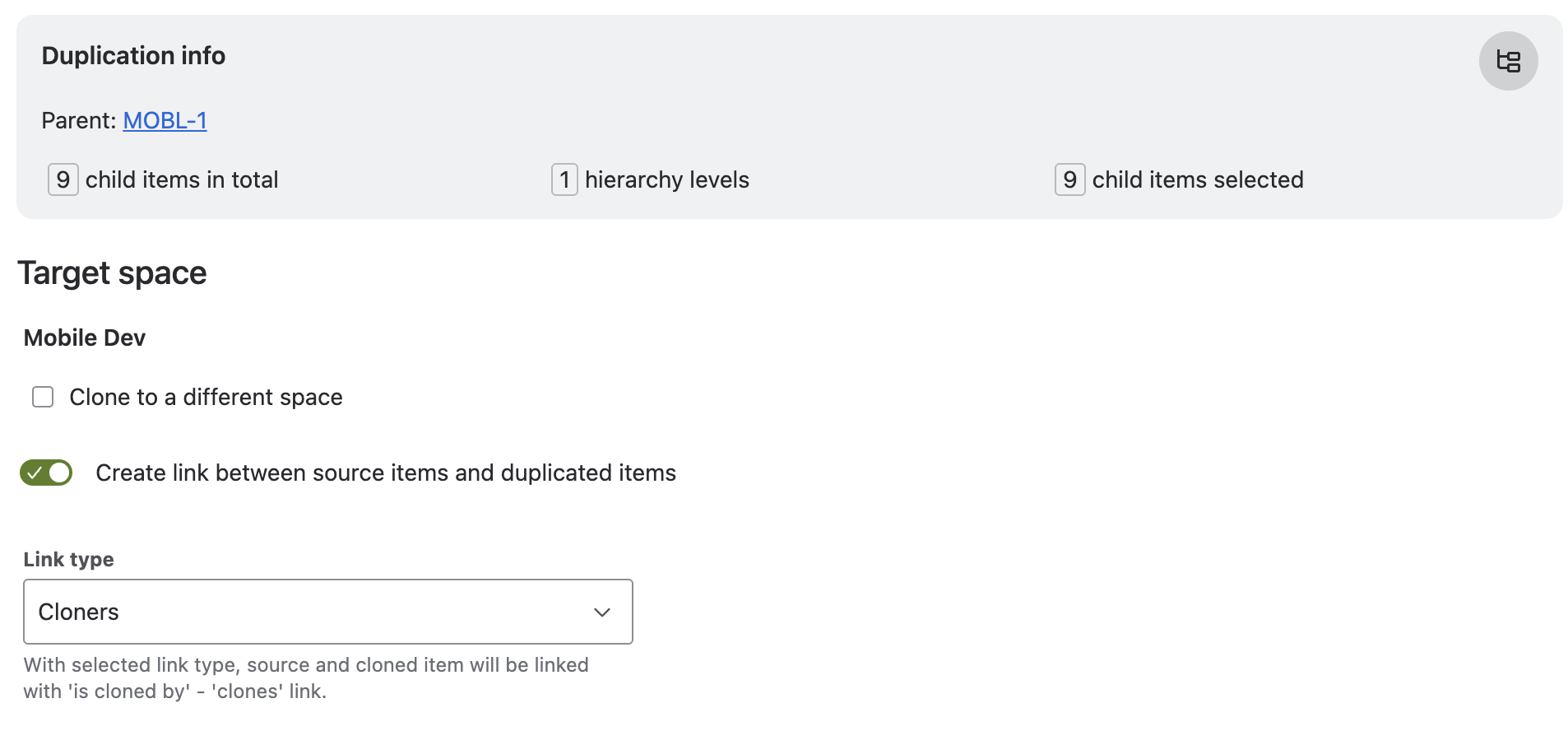
Info Panel
-
Total Child Items: Count of items across all hierarchy levels under the parent.
-
Hierarchy Level: Number of levels beneath the parent, typically up to two (story and sub-task).
-
Items Selected for Duplication: Number of child items currently selected for duplication.
General Settings
Link Between Source and Duplicated Items
-
Enable: Establish a link similar to "clones / is cloned by" in Jira.
-
Dropdown: Choose the link type for duplicated items.
Keep in Source Space
-
Option: Duplicate child items within their original space or transfer to the target space.
-
Default: All items are copied to the target space.
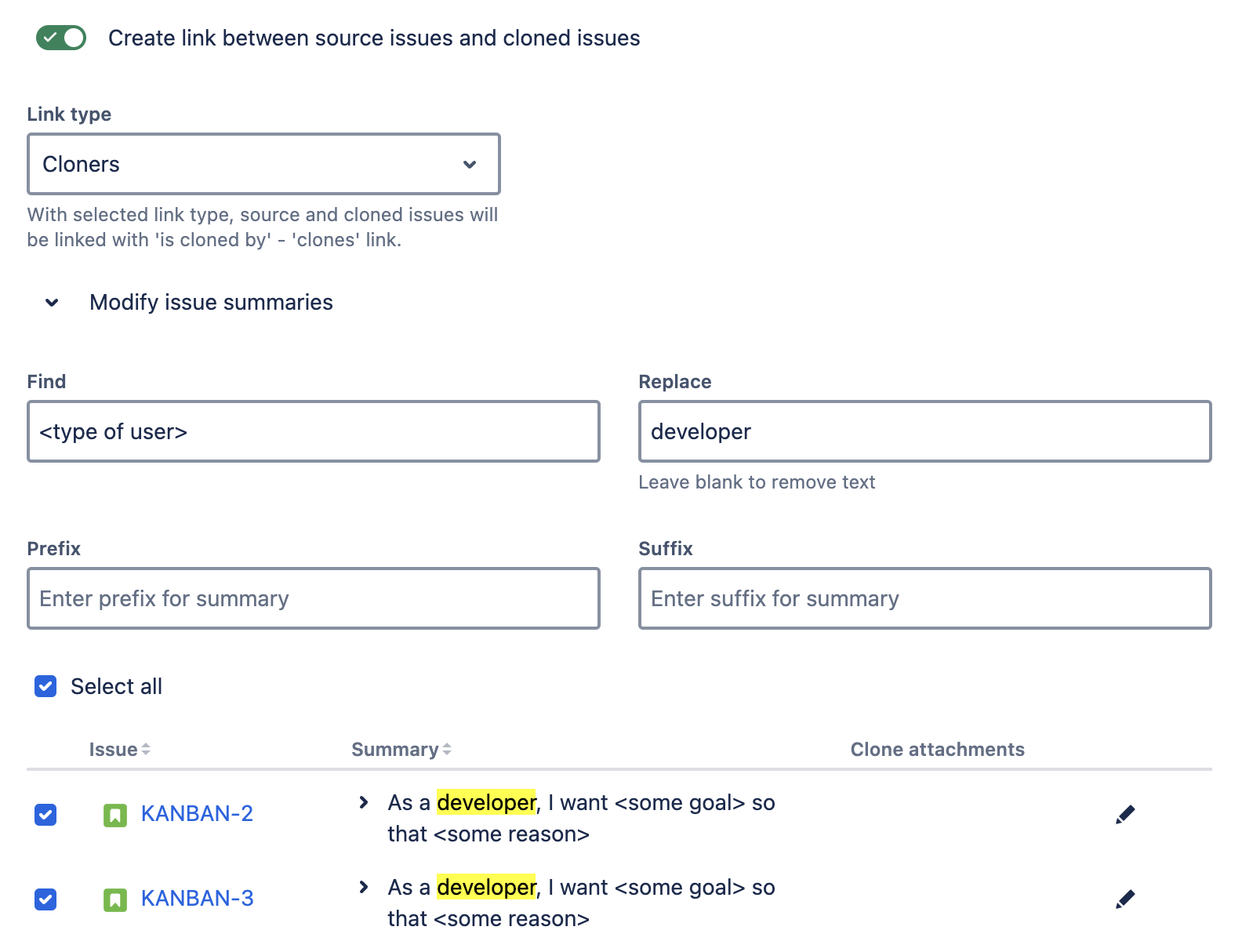
Modify Work Item Summaries advanced edition
-
Find and Replace: Search and replace terms in child item summaries.
-
Prefix/Suffix: Add to summaries for customization.
Example for Find and Replace
In the provided example screenshot, the word '<type of user>' is replaced with 'developer' in all summaries. This capability enhances efficiency by enabling users to make bulk changes to text elements swiftly and accurately. The preview of the work item summary is displayed immediately when the search term is found.
Hierarchy Table
-
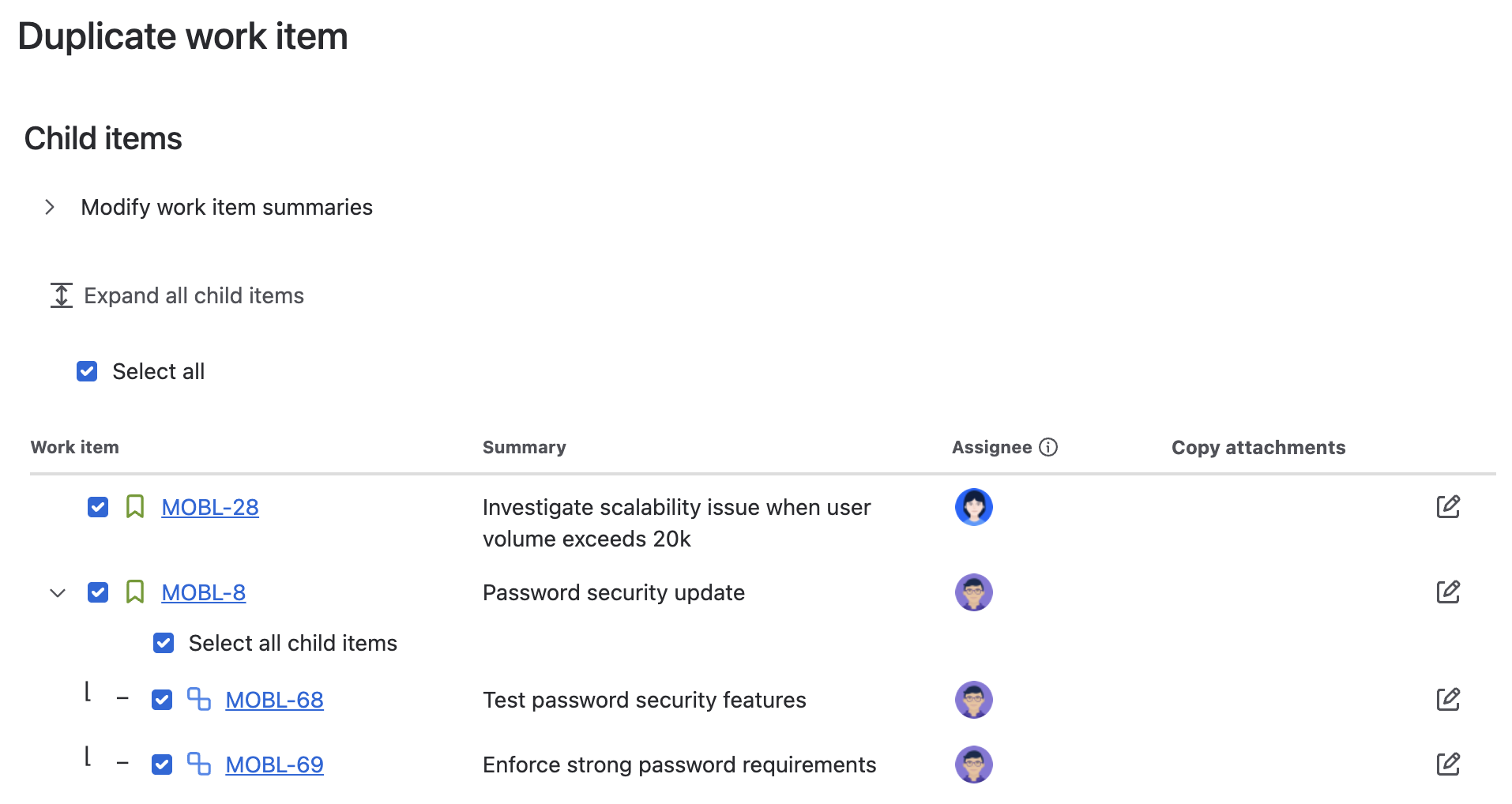
Expand/Collapse: Click icons to view additional child items.
-
Expand all: Click the ‘Expand all child items’ button located at the top to expand the entire tree.
-
Select for Duplication: Choose child items to duplicate with the parent.
-
Only items with a type existing in the target space are selectable.
-
Deselecting a parent makes its children unselectable.
-
Item type, key, summary, and assignee are displayed for each child item
-
Fields
-
Copy Attachments:
-
option to copy if permissions allow
-
default is to copy
-
not displayed if no attachments or lacking permission in target space
-
-
Copy all Child Attachments: Enable or disable the copy attachment switch for all child items at once.
-
Edit Fields:
-
Summary: Revise the child item's summary.
-
Assignee: Choose from users with the necessary permission to be assigned to work items in the target space.
-
-
Save Updates: Upon clicking the save button, the updated values will appear on the screen and will be applied to the duplicated items.
Reorder
-
Drag-and-Drop: Rearrange child items to define a new order.
-
Modify Hierarchy: Easily change child items parents in the list with drag-and-drop.
-
Error Handling: Invalid positions trigger error messages.
Links
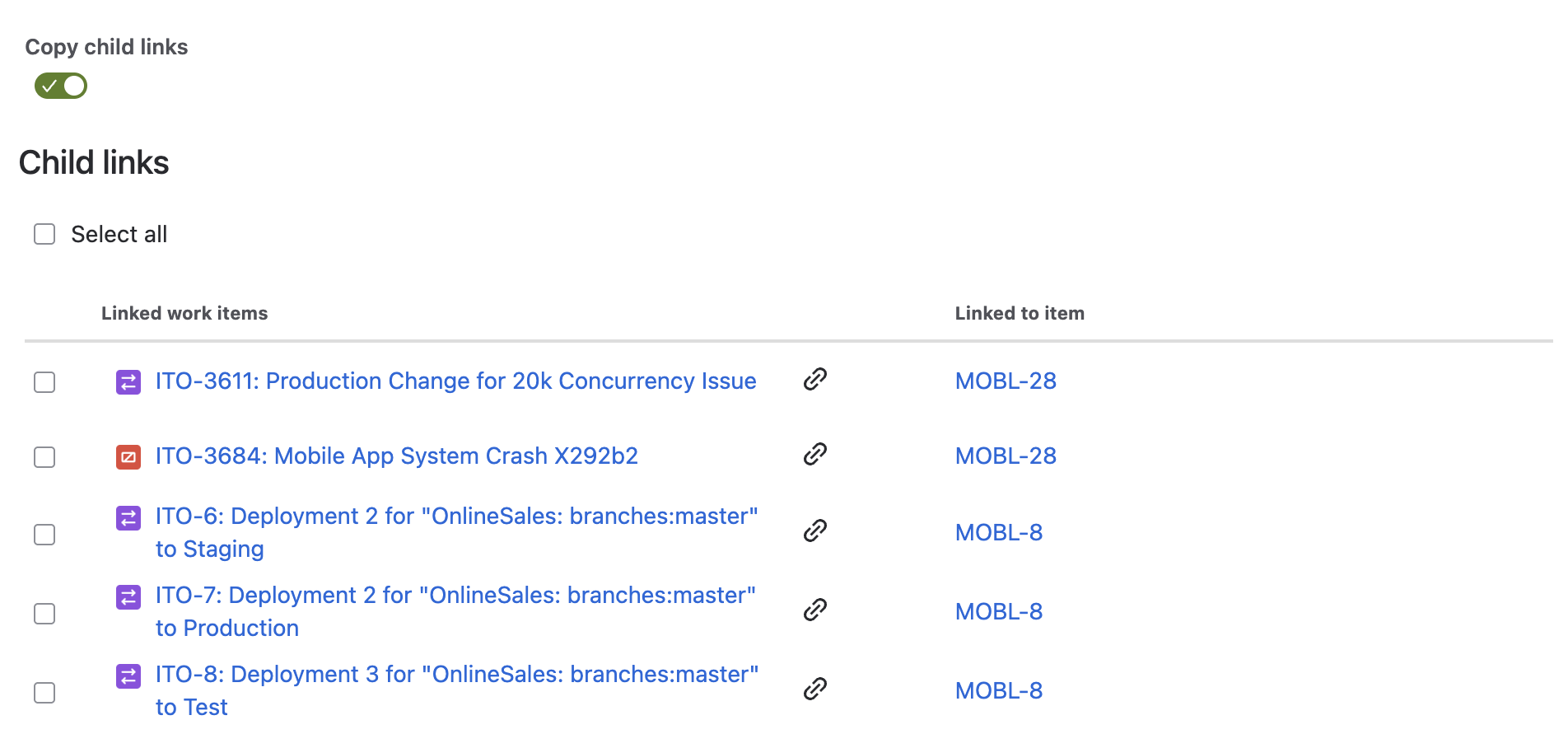
Enable the copy links option to show a list of items linked to the child items. You can then select which links should be copied over to the duplicated item.
If you have finished your settings, click on ‘Duplicate’ to start the process. See this page for information on the result screen.